
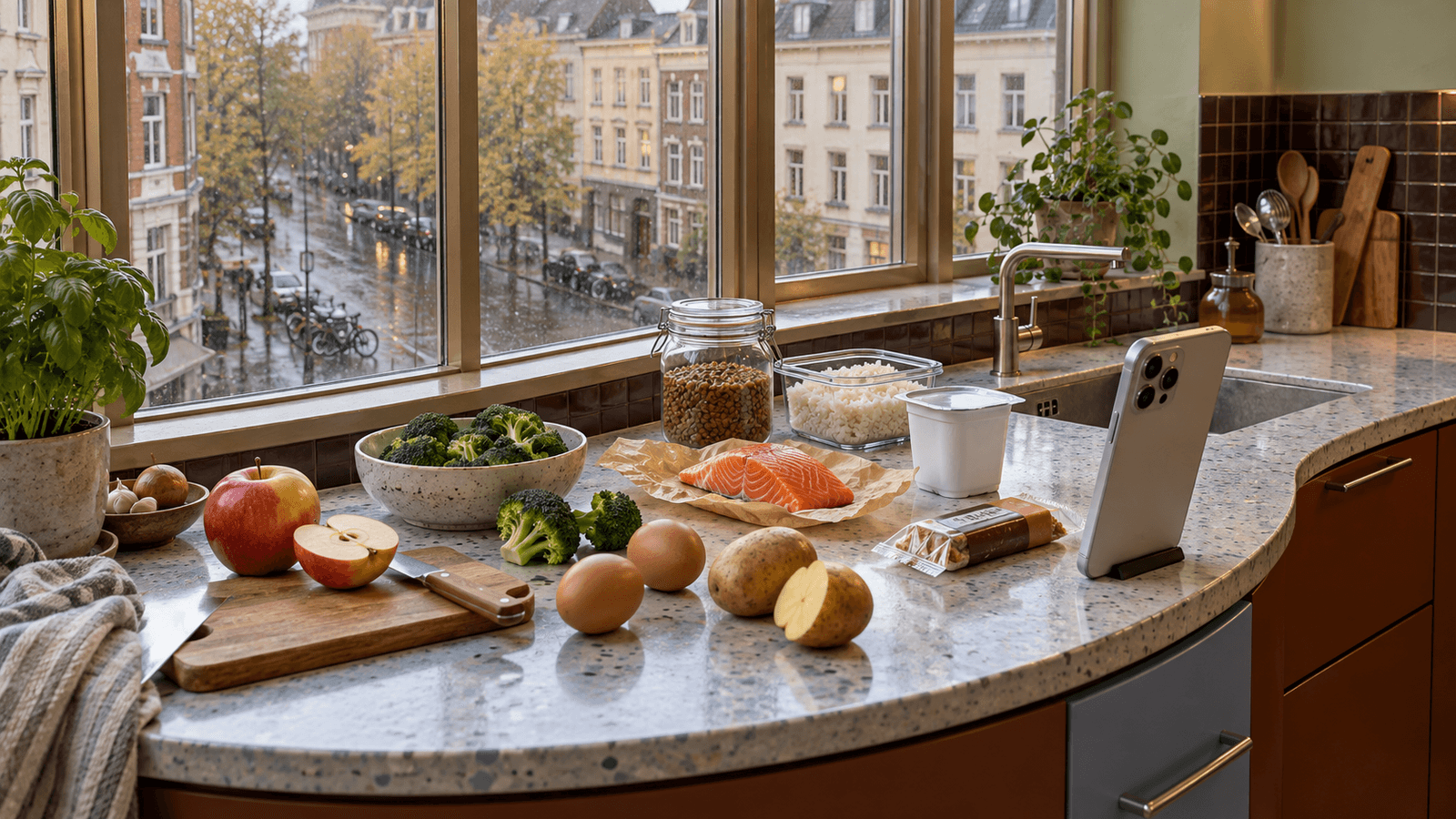
Tracking calories can be useful, but traditional food logging often requires several small tasks for every meal.
You may need to search for foods, choose database entries, estimate portions, enter quantities and repeat the process several times a day.
Automatic calorie tracking aims to reduce that work.
Modern nutrition apps can automate parts of food logging using technologies such as image recognition, barcode scanning, saved meals, nutrition databases and personalized history.
But "automatic" does not necessarily mean that every calorie can be measured perfectly without any input.
Some parts of tracking are easier to automate than others.
Understanding that difference helps set realistic expectations.
What is automatic calorie tracking?
Automatic calorie tracking is any system that reduces the amount of manual work required to record food and estimate calorie intake.
Instead of entering every ingredient from scratch, an app may help by:
- recognizing foods from a photo
- suggesting likely ingredients
- estimating portions
- matching foods with nutrition data
- scanning barcodes or QR codes
- remembering foods you eat frequently
- reusing previous meals
- calculating calories automatically after foods are identified
- updating daily totals
- tracking macronutrients alongside calories
The goal is usually not to remove the user completely.
It is to reduce repetitive steps.
Why calorie tracking is difficult to automate completely
Calories are not directly visible in a photograph.
A camera can see visual characteristics such as:
- shape
- color
- texture
- relative size
- arrangement
- visible ingredients
But calorie content depends on information that may not be visually obvious.
For example, two visually similar dishes can contain different amounts of:
- oil
- butter
- cream
- sugar
- cheese
- sauces
- dressings
Cooking methods can also change the final energy density.
This means automatic tracking usually works by estimating several things rather than directly measuring calories.
Step 1: Detecting food
The first task is determining whether food is present in the image.
Computer vision systems can analyze visual patterns and identify regions that are likely to contain food.
In a simple image containing one apple, this may be relatively straightforward.
A mixed dish can be more difficult.
Pasta with sauce, vegetables, cheese and meat may contain several components that overlap visually.
The system needs to decide whether it is seeing one dish, several foods or ingredients that are partly hidden.
Step 2: Recognizing the food
Once food has been detected, the system can try to identify it.
Depending on the app and model, it may recognize categories such as:
- apple
- banana
- egg
- rice
- pasta
- chicken
- salmon
- bread
- yogurt
- potatoes
- vegetables
More complex dishes are harder.
A photo may show something that visually resembles:
- lasagna
- casserole
- curry
- stew
- soup
- pasta with sauce
But the image alone may not reveal the complete recipe.
Food recognition therefore often produces a likely interpretation rather than absolute certainty.
For a deeper explanation, see Food Recognition AI: How Apps Identify Meals.
Step 3: Estimating portion size
Identifying a food is only part of the problem.
The system also needs to estimate how much food is present.
A photograph can provide visual clues, but scale can be difficult to determine.
A portion may appear larger or smaller depending on:
- camera distance
- camera angle
- lens characteristics
- plate or container size
- food shape
- stacking
- hidden food
Some systems may use familiar objects, container dimensions, multiple images, depth information or user corrections to improve estimates.
Even then, portion size is generally an estimate unless the food has been weighed or its exact quantity is otherwise known.
Step 4: Matching food with nutrition data
After identifying a food and estimating its amount, the app needs nutritional information.
For simple foods, this can be relatively direct.
If the system identifies a banana and estimates its size, it can match that estimate with nutrition data.
Packaged foods may be matched using:
- barcode data
- product databases
- nutrition labels
- user-provided product information
Mixed dishes require more assumptions because recipes vary.
Step 5: Calculating calories
Once the system has:
- a likely food identity
- an estimated quantity
- matching nutrition information
it can calculate an estimated calorie value.
The same process can also estimate:
- protein
- carbohydrates
- fat
- fiber
- other nutrients when suitable data is available
The arithmetic itself is simple.
The uncertainty comes from the information used in the calculation.
What can be automated well?
Some tracking tasks are particularly suitable for automation.
Daily calorie totals
Once meals are recorded, adding their calories to the daily total is straightforward.
The app can automatically update remaining calories or progress toward a target.
Macronutrient totals
Protein, carbohydrate and fat totals can also be calculated automatically from recorded foods.
Repeated foods
If you frequently eat the same breakfast or snack, the app can remember previous entries.
This can eliminate repeated searching and data entry.
Saved meals
A meal that appears regularly can be saved and added again with minimal input.
Barcode scanning
Packaged foods with a recognized barcode can often be matched with existing product information.
The user may only need to confirm the product and quantity.
Nutrition-label reading
A photo of a nutrition label can potentially be used to extract nutritional information when a product is not already available in the database.
Meal history
Previously logged foods can be suggested based on your history.
This is particularly useful for people whose diets contain recurring meals.
What can AI automate from a food photo?
A photo-based system may help automate several steps at once.
For example, after photographing a meal, the system may attempt to:
- detect the food
- recognize likely components
- estimate portions
- match them with nutrition data
- calculate calories and macros
- create a proposed food log
Instead of manually entering everything, the user reviews the result.
This changes food tracking from data entry into confirmation.
That can substantially reduce friction even when occasional corrections are still necessary.
What usually still needs confirmation?
Automation works best when the user can quickly correct uncertain information.
Useful confirmations may include:
- food identity
- portion size
- cooking method
- hidden ingredients
- sauces
- oils
- product version
For example, a photo may correctly identify pasta with vegetables but may not know whether the sauce contains one teaspoon or several tablespoons of oil.
A short confirmation can be more practical than manually building the entire meal from scratch.
Hidden calories are difficult for cameras
Some of the hardest calories to estimate visually come from ingredients that are mixed into food or visually subtle.
Examples include:
- cooking oil
- butter
- mayonnaise
- creamy sauces
- salad dressing
- sugar in drinks
- syrups
- cheese inside dishes
- nuts mixed into food
The camera may recognize the visible meal correctly while still missing part of its energy content.
This is one reason automatic calorie tracking should be understood as estimation rather than direct measurement.
Mixed dishes are harder than simple foods
A banana is visually simpler than homemade lasagna.
An egg is easier to identify than a casserole containing several ingredients.
Mixed dishes introduce uncertainty because:
- ingredients overlap
- some ingredients are hidden
- recipes differ
- cooking changes appearance
- sauces can conceal components
For homemade recipes, ingredient-based information can sometimes improve the estimate.
Restaurant meals create additional uncertainty
Restaurant food can be particularly difficult because the user usually does not know the exact recipe.
The same dish can vary between restaurants in:
- portion size
- cooking oil
- sauces
- ingredient ratios
- garnishes
- preparation methods
A photo can still provide a useful estimate, but it should not be interpreted as laboratory measurement.
Packaged foods can be easier to automate
Packaged products often provide structured information.
If the product can be identified by barcode or packaging, an app may already know:
- calories per 100 g
- calories per serving
- protein
- carbohydrates
- fat
- serving size
The remaining question is often how much was actually consumed.
If the exact quantity is known, the calculation can be relatively straightforward.
Can a photo replace weighing food?
Not completely.
Weighing can provide a more direct quantity measurement when high precision is important.
Photo-based tracking prioritizes convenience.
For many users, the practical question is not whether a photo is identical to weighing every ingredient.
It is whether the estimate is useful enough to support consistent tracking with much less effort.
For guidance on improving photo inputs, see How to Take Better Food Photos for AI Calorie Estimates.
Better photos can improve automation
Food recognition generally benefits from clear visual information.
Useful habits include:
- keep the food visible
- avoid very dark images
- avoid excessive motion blur
- photograph the entire meal
- avoid hiding food behind tall objects
- use a reasonable camera angle
- keep sauces and major components visible when possible
You do not need professional food photography.
The goal is simply to provide the system with enough visual information.
Can tracking become completely passive?
Fully passive calorie tracking is difficult because eating is not always observable.
A phone cannot automatically know every time you:
- taste food while cooking
- drink a caloric beverage
- add oil
- eat a small snack
- share food
- leave part of a meal unfinished
Wearables can measure aspects of activity and energy expenditure, but that is different from knowing exactly what was consumed.
For this reason, practical automation usually focuses on minimizing interaction rather than eliminating it entirely.
Automation and calorie targets
Once a calorie target has been established, an app can automatically compare recorded intake with that target.
It can show:
- calories consumed
- calories remaining
- progress through the day
- macro totals
- patterns over several days
However, the quality of those calculations depends on the quality of the food entries.
Automating arithmetic does not remove uncertainty from the original estimate.
Automatic tracking and weight loss
Automatic tracking may be useful during weight loss because reducing logging effort can make consistent tracking easier.
But tracking itself does not cause weight loss.
Body weight changes depend on energy balance over time, while real-world weight is also affected by water, glycogen, digestion and other short-term factors.
If your goal is weight loss, calorie tracking is one tool among several.
See How Many Calories Should You Eat to Lose Weight?.
Automatic tracking without weight loss
Calorie tracking is not only for weight loss.
People may track food to:
- understand eating patterns
- monitor protein
- compare intake across days
- support weight maintenance
- understand portions
- improve meal planning
- observe food habits
Automation can be useful whenever reducing manual logging makes the information easier to collect.
How automatic macro tracking works
Once foods and quantities are estimated, macronutrients can be calculated from the same nutrition data.
For example, the app can estimate:
- protein
- carbohydrates
- fat
This does not require a separate photo analysis for each macro.
The main challenge remains identifying the correct food and quantity.
For a broader guide, see How to Track Macros: A Beginner’s Guide.
Why personalization matters
Automation can improve when the system has context.
If a user frequently eats:
- the same yogurt
- a particular bread
- a recurring breakfast
- similar coffee
- a regular homemade meal
the app may be able to prioritize likely matches.
Personal history can reduce the number of choices that need to be reviewed.
However, previous behavior should not automatically override what is actually visible or entered.
Automation should make correction easy
A useful automatic tracker should not only generate estimates quickly.
It should also make mistakes easy to fix.
For example, users should be able to correct:
- wrong food
- wrong quantity
- missing ingredient
- incorrect product
- incorrect meal type
Fast correction is important because no recognition system will interpret every meal perfectly.
When manual entry is still useful
Manual input can remain valuable when:
- the food is not visible clearly
- the recipe is known exactly
- the product is not in the database
- precise weight is available
- hidden ingredients matter
- the AI identifies the wrong dish
- the user wants a specific nutrition entry
Automation and manual entry do not need to compete.
A practical system can use whichever method is easiest for the situation.
Combining several input methods
The most flexible tracking systems can combine different approaches.
For example:
Food photo
Useful for ordinary meals and fast estimates.
Barcode or QR code
Useful for packaged foods.
Nutrition-label photo
Useful when a packaged product is missing from the database.
Manual search
Useful when the exact food is known.
Saved meal
Useful for repeated meals.
Recipe entry
Useful for homemade dishes with known ingredients.
No single input method is ideal for every food.
Automatic tracking and consistency
The main advantage of automation may be reduced friction.
A highly precise tracking method is not useful if it is too inconvenient to use consistently.
At the same time, convenience should not create false confidence.
Automatic estimates still contain uncertainty.
A practical approach is to use automation for speed and correct important errors when they are obvious.
How Mealisa approaches automatic food tracking
Mealisa is designed around reducing manual food entry.
A typical photo-based flow can be:
- photograph the food
- let AI analyze the image
- review the proposed food and portion
- correct anything necessary
- add the result to the day
For packaged foods, barcode or product information can provide another path.
If product data is unavailable, nutrition-label information can help fill the gap.
Mealisa can then use recorded food to update:
- calories
- protein
- carbohydrates
- fat
- daily progress
- nutrition history
The purpose is not to pretend that a camera directly measures calories.
The purpose is to remove as many repetitive logging steps as possible while keeping the result editable.
A practical example
Imagine lunch contains:
- chicken
- rice
- broccoli
- sauce
With fully manual tracking, you might need to search for four separate entries, estimate each quantity and enter them individually.
With photo-assisted tracking, the app may identify the visible foods and propose quantities.
You then notice that the sauce estimate is incomplete.
You correct the sauce and confirm the meal.
The result still required your judgment, but much of the repetitive work was automated.
That is a more realistic definition of automatic calorie tracking.
What automatic calorie tracking cannot know perfectly
A photo alone may not reliably determine:
- exact weight
- exact recipe
- amount of cooking oil
- hidden ingredients
- brand-specific nutrition
- how much food was left uneaten
- ingredients outside the frame
These limitations are important.
Automatic tracking is most useful when estimates are treated as editable information rather than unquestionable measurements.
Common misconceptions
“AI can see the exact calories in food”
Calories are calculated from estimated food identity, quantity and nutrition data. They are not directly visible.
“Automatic means zero input”
Some meals may require almost no correction. Others may need confirmation or manual changes.
“A photo is always as accurate as weighing”
Photo estimation and weighing provide different types of information. Exact weight can improve quantity precision when needed.
“Every meal is equally easy to recognize”
Simple foods and clearly separated ingredients are generally easier than complex mixed dishes.
“Automation removes all tracking errors”
Automation reduces work. It does not eliminate uncertainty.
Should you use automatic calorie tracking?
It may be useful if traditional logging feels too slow or repetitive.
It can be particularly practical if you:
- track meals frequently
- eat recurring foods
- want fast calorie estimates
- want calories and macros in one workflow
- prefer taking a photo to typing several entries
- are comfortable reviewing occasional estimates
If you need very precise dietary measurement for a medical reason, discuss the appropriate tracking method with a qualified healthcare professional.
Frequently asked questions
Can AI automatically count calories from a photo?
AI can estimate foods and portions from visual information and use nutrition data to calculate an estimated calorie value. It does not directly measure calories from the image.
Is automatic calorie tracking accurate?
Accuracy varies with the food, image quality, portion estimation, database information and hidden ingredients. Treat results as estimates.
Do I still need to enter portion sizes?
Sometimes. An app may estimate portions automatically, but confirmation or correction can improve the result when the estimate is uncertain.
Can automatic tracking recognize homemade meals?
It may recognize visible components or the likely dish, but exact recipes and hidden ingredients can be difficult to infer from an image alone.
Can it track packaged foods?
Yes. Barcode scanning and product databases can make packaged foods relatively easy to log when reliable product information is available.
Can it track macros automatically too?
Yes. Once the food, quantity and nutrition data are available, protein, carbohydrate and fat totals can be calculated alongside calories.
Do I need to weigh food?
Not always. Weighing can improve quantity precision, but photo-based estimation may be more convenient for everyday tracking.
Can automatic tracking work without taking photos?
Yes. Automation can also include saved foods, meal history, barcode scanning, repeated meals and automatic calculations.
The bottom line
Automatic calorie tracking is best understood as automation of the logging process, not automatic measurement of food energy.
Technology can reduce many repetitive tasks:
food recognition,
portion estimation,
database matching,
barcode lookup,
calorie calculations,
macro calculations,
saved meals,
history and daily totals.
The hardest parts remain the information that cameras cannot reliably see, such as exact quantities, hidden ingredients and recipe details.
The most practical systems combine automation with fast user confirmation.
Instead of asking you to enter every detail from scratch, they do most of the repetitive work and let you correct what matters.
That is where automatic calorie tracking can provide the greatest everyday value.
This article provides general nutrition information and is not a substitute for individualized medical or dietetic advice.