
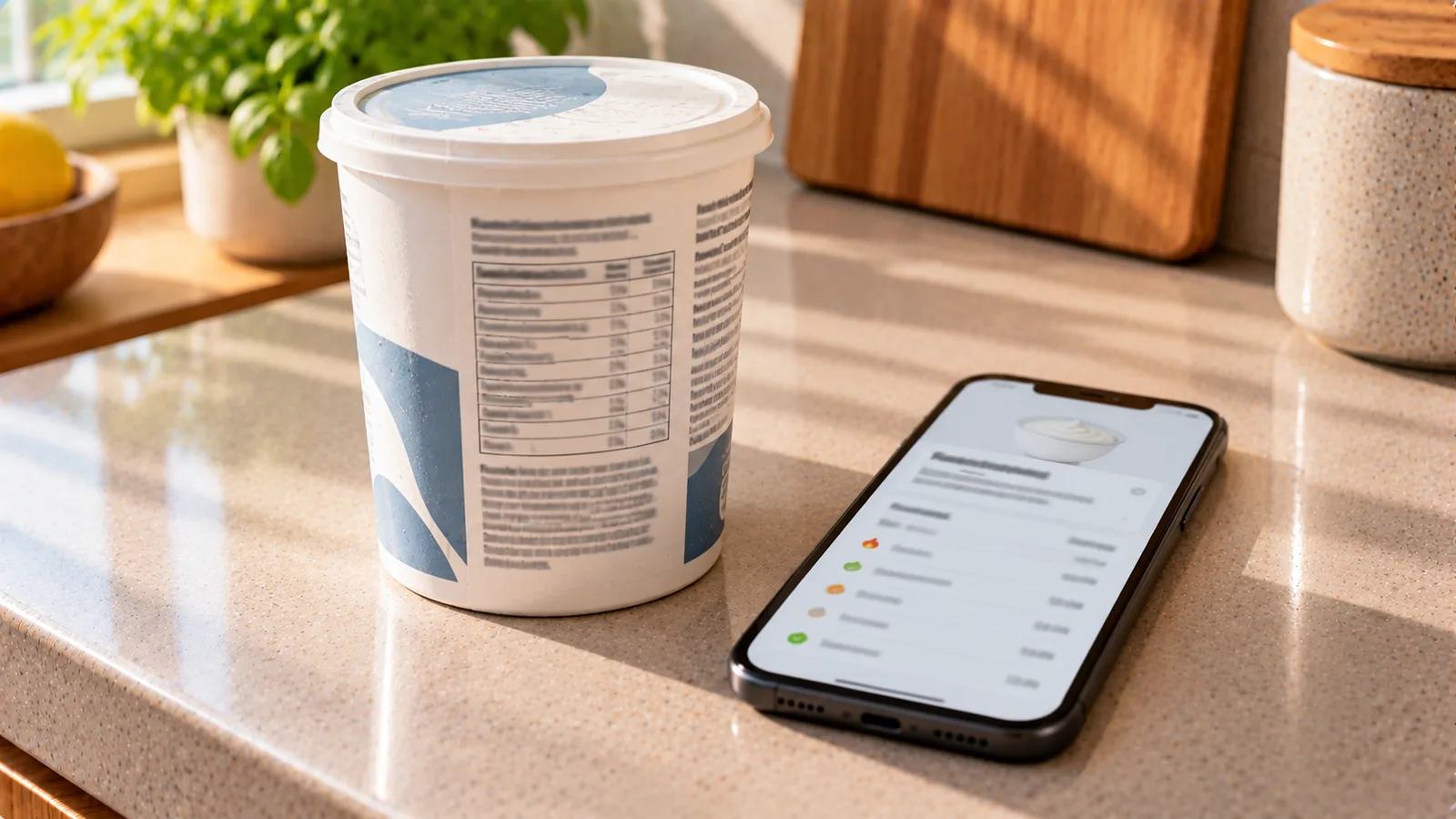
Food databases make calorie tracking faster, but a search result is not automatically the correct entry for the food in front of you.
Two entries with almost identical names can describe different brands, preparation methods, serving units or food states. An incorrect match can affect calories and every macro calculated from it.
The goal is not to find an entry that merely looks plausible. It is to confirm that the entry describes the food you actually ate.
Start with identity, not calories
When several search results appear, it is tempting to choose the one with a calorie value that seems reasonable.
A better order is:
- identify the exact food;
- identify its brand when relevant;
- check its preparation state;
- verify the unit and reference quantity;
- compare the nutrition values.
Calories should confirm the match rather than determine it.
1. Check the exact product name
Start by comparing the database name with the package.
Look for differences such as:
- plain vs flavored;
- full-fat vs reduced-fat;
- sweetened vs unsweetened;
- salted vs unsalted;
- raw vs roasted;
- canned in water vs canned in oil;
- regular vs high-protein version.
A database result called simply “Greek yogurt” may not represent a specific yogurt containing added sugar or a different fat percentage.
Small words in the product name can represent meaningful nutritional differences.
2. Match the brand when the food is branded
For packaged foods, the brand can be important.
Two products in the same category may use different:
- recipes;
- fat percentages;
- sugar amounts;
- protein concentrations;
- portion sizes;
- fortification;
- ingredient ratios.
If you have a package in your hand, a database entry for the exact brand and product is usually preferable to a generic entry, provided its values still match the current label.
Brand matching alone is not enough, because manufacturers can reformulate products.
The package label remains an important check.
3. Check whether the product variant matches
Many brands sell several products under very similar names.
For example:
- original;
- light;
- zero;
- protein;
- organic;
- family size;
- different flavors.
Do not assume that an entry is correct because the brand logo or main product name matches.
Compare the full variant.
4. Match raw and cooked states
This is one of the most common database errors.
Foods can have very different values per 100 g before and after cooking because cooking changes their water content.
This matters especially for:
- rice;
- pasta;
- couscous;
- quinoa;
- legumes;
- meat;
- fish;
- potatoes.
For example, 100 g of dry rice and 100 g of cooked rice are not interchangeable.
The dry product contains much less water, so its calories per 100 g are much higher.
If you weigh cooked rice, choose a cooked-rice entry.
If you weigh it dry before cooking, use the appropriate dry entry.
5. Check other preparation states
Raw versus cooked is only one distinction.
A database entry may describe food that is:
- boiled;
- baked;
- fried;
- grilled;
- roasted;
- steamed;
- drained;
- undrained;
- peeled;
- unpeeled;
- with bone;
- edible portion only.
Choose the state that most closely matches the food you measured.
For canned foods, for example, an entry for “beans, drained” should normally be paired with the drained amount rather than the total weight including the packing liquid.
6. Verify the reference quantity
Before comparing numbers, check what they are based on.
A database may show values:
- per 100 g;
- per 100 ml;
- per serving;
- per piece;
- per cup;
- per tablespoon;
- per package.
These cannot be compared directly without converting them to the same basis.
Suppose the package says:
240 kcal per 60 g serving
The equivalent per 100 g is:
240 ÷ 60 × 100 = 400 kcal per 100 g
A database entry showing 400 kcal per 100 g may therefore match perfectly even though 400 and 240 initially look different.
7. Check grams behind household units
Entries such as “1 cup”, “1 slice” or “1 tablespoon” are only useful when their gram equivalent is appropriate.
For example:
- one slice of one bread may weigh 25 g;
- another may weigh 45 g.
If the database assumes a 30 g slice but your slice weighs 45 g, logging “1 slice” will underestimate the amount.
When accuracy matters, compare or use grams.
8. Compare calories on the same basis
Once the units match, compare the calorie values.
For example:
Package:
- 180 kcal per 50 g.
Database:
- 360 kcal per 100 g.
Convert the package value:
180 ÷ 50 × 100 = 360 kcal per 100 g
The entries agree.
Without converting the reference quantity, they might appear inconsistent.
9. Compare the macros too
Matching calories alone does not prove that the entry is correct.
Compare:
- protein;
- fat;
- carbohydrate;
- fiber when available;
- sugars when useful;
- sodium or salt when relevant.
Suppose the package shows per 100 g:
- 250 kcal;
- 20 g protein;
- 8 g fat;
- 25 g carbohydrate.
A database result shows:
- 252 kcal;
- 6 g protein;
- 18 g fat;
- 20 g carbohydrate.
The calorie totals are similar, but the macro profile is very different.
That is a warning that the entry may represent another product.
10. Expect some rounding
Nutrition labels and databases do not always match digit for digit.
Small differences can result from:
- regulatory rounding;
- laboratory variation;
- different data sources;
- recipe updates;
- slightly different reference samples;
- calculation methods.
A difference of a few calories does not automatically make an entry wrong.
Look at the overall pattern rather than demanding artificial precision.
11. Use the package label as the primary reference for a specific packaged food
If you are holding a current package of a branded product, its current nutrition label is usually the most relevant source for that exact product.
A database record may be older.
For example, the manufacturer may have changed:
- sugar;
- oil;
- serving size;
- protein content;
- package weight.
If the database entry conflicts materially with the current package, use or create an entry based on the current label rather than forcing the older database result to fit.
12. Check the serving size carefully
A database entry may have correct nutrition values but an incorrect or confusing serving.
Suppose the package says:
- serving: 30 g;
- 120 kcal.
The database entry correctly contains 400 kcal per 100 g but labels “1 serving” as 40 g.
If you log one database serving, you get:
400 × 40 ÷ 100 = 160 kcal
But your package serving is only:
400 × 30 ÷ 100 = 120 kcal
The nutrient density is correct; the serving definition is not appropriate for your package.
Logging grams solves the mismatch.
13. Check whether the database uses edible weight
Some foods contain parts that are normally not eaten, such as:
- bones;
- shells;
- pits;
- thick peels.
A nutrition entry may describe only the edible portion.
If you weigh a whole item including discarded parts and apply an edible-portion entry to that full weight, you may overestimate the amount eaten.
Check whether the database description specifies the edible portion.
14. Be careful with drained foods
For canned and jarred foods, verify whether the entry describes:
- total contents;
- solids and liquid;
- drained solids;
- a product packed in water;
- a product packed in oil.
The state and the weight must match.
If you eat 150 g of drained tuna, an entry for drained tuna is more appropriate than one based on the full contents including liquid.
15. Check whether added ingredients are included
A generic entry may describe a plain food while your food includes additions.
Examples:
- vegetables cooked with oil;
- oatmeal made with milk;
- mashed potatoes with butter;
- sweetened yogurt;
- nuts roasted in oil;
- tuna mixed with mayonnaise.
Do not assume that a database entry called “cooked vegetables” includes the oil you used.
If the addition is not included in the entry, log it separately.
16. Restaurant and homemade foods need a different standard
For packaged foods, you can often verify an entry against a label.
For restaurant and homemade dishes, exact verification may not be possible.
A database entry for “lasagna” cannot automatically represent every lasagna because recipes differ.
In these situations, prefer:
- the restaurant's published nutrition information when available;
- the actual recipe for homemade food;
- a recipe-based estimate;
- a clearly labeled generic estimate when nothing better exists.
Do not treat a generic mixed-dish entry as exact.
17. Check the country or market
The same branded product can differ between countries.
Possible differences include:
- recipe;
- serving size;
- package size;
- fortification;
- sweeteners;
- fat content.
A US database entry is not automatically correct for a product sold in Germany or France, even when the brand and product name are similar.
Compare the local package label.
18. Understand EU and US carbohydrate conventions
When comparing international entries, remember that carbohydrate can be defined differently.
On US Nutrition Facts labels, Total Carbohydrate includes dietary fiber.
European nutrition declarations generally report carbohydrate without fiber and list fiber separately when declared.
Therefore, two entries may appear to disagree even when they reflect different labeling conventions.
Do not “correct” an entry by subtracting fiber until you know which convention the database uses.
19. Check salt versus sodium
European labels generally declare salt.
US labels generally declare sodium.
They are related but not numerically identical.
A useful approximation is:
salt ≈ sodium × 2.5
when both are expressed in the same mass unit.
If only this field differs substantially, check whether one source is reporting sodium and the other salt before rejecting the entry.
20. Look for impossible or suspicious combinations
Some database errors are obvious when you inspect the whole record.
Warning signs include:
- calories that are incompatible with the macros;
- zero protein for a food normally rich in protein;
- extremely high fat in a low-fat product;
- a serving weight that makes no sense;
- values copied into the wrong units;
- sodium entered as salt or vice versa;
- values per serving presented as values per 100 g.
You do not need to calculate the exact energy from every macro, but large contradictions deserve investigation.
A quick energy sanity check
As a rough check, the major macronutrients contribute approximately:
- protein: 4 kcal/g;
- carbohydrate: 4 kcal/g;
- fat: 9 kcal/g.
Suppose an entry shows per 100 g:
- protein: 10 g;
- carbohydrate: 20 g;
- fat: 10 g.
Approximate energy:
10 × 4 + 20 × 4 + 10 × 9 = 210 kcal
If the entry instead says 600 kcal, something probably needs checking.
This is only a sanity check. Fiber, alcohol, organic acids, rounding and regulatory calculation methods can affect the exact result.
21. Prefer complete entries over incomplete ones
If two entries appear otherwise identical, prefer the one with enough information to verify it.
Useful fields include:
- exact product name;
- brand;
- preparation state;
- calories;
- protein;
- fat;
- carbohydrate;
- serving weight;
- source or label information.
An entry containing only a product name and calorie number is harder to validate.
22. Do not choose an entry because it has the lowest calories
Food tracking is not improved by selecting the most favorable database result.
If five entries for the same food range from 90 to 180 kcal per 100 g, investigate why.
Possible reasons include:
- raw versus cooked;
- full-fat versus reduced-fat;
- water versus oil packing;
- branded versus generic product;
- recipe differences;
- incorrect user-generated entries.
Choose the entry that matches the food, not the target you want to see.
23. What to do when the entry is wrong
If a database result does not match your product:
- search for the exact brand and variant;
- check another entry for the same product;
- scan the barcode if your app supports it;
- compare with the current package label;
- create or edit a custom food when appropriate;
- enter the values from the package in the units required by the app.
Do not keep using a known-wrong entry merely because it is already in your history.
Example: verifying a cereal entry
The package says per 100 g:
- 380 kcal;
- 8 g protein;
- 5 g fat;
- 72 g carbohydrate;
- 7 g fiber.
Database result A:
- 379 kcal;
- 8.1 g protein;
- 5.2 g fat;
- 71.5 g carbohydrate;
- 7.1 g fiber.
Database result B:
- 382 kcal;
- 18 g protein;
- 10 g fat;
- 54 g carbohydrate;
- 5 g fiber.
Result A is a much stronger match.
Result B has similar calories, but its macro composition indicates a substantially different cereal.
Example: verifying cooked rice
You weigh 180 g of cooked rice.
Database result A:
- “rice, white, cooked”;
- 130 kcal per 100 g.
Database result B:
- “rice, white, dry”;
- 360 kcal per 100 g.
Because you weighed the cooked food, result A is the appropriate state.
Using result B would calculate:
360 × 180 ÷ 100 = 648 kcal
Using result A:
130 × 180 ÷ 100 = 234 kcal
The error comes from matching the wrong food state, not from the scale.
Example: verifying a yogurt by serving size
Your yogurt label says:
- 150 g pot;
- 95 kcal per 100 g.
Whole pot:
95 × 150 ÷ 100 = 142.5 kcal
A database result says:
- 95 kcal per 100 g;
- serving: 125 g.
The nutrient density matches, but the predefined serving does not match your pot.
Instead of rejecting the entry, log 150 g.
A practical verification hierarchy
For a packaged product, check in this order:
1. Exact product and variant
2. Brand and market
3. Raw/cooked/drained or other food state
4. Reference unit
5. Current package calories
6. Protein, fat and carbohydrate
7. Fiber, sugar, sodium or salt when relevant
8. Actual portion
This order catches most important mismatches quickly.
30-second database check
When you do not want to inspect every field, use this shorter test:
- Does the name exactly match?
- Is it the right brand or a suitable generic food?
- Is it raw, cooked or drained as appropriate?
- Are the values based on the same grams or serving?
- Are calories close after conversion?
- Do the main macros broadly match?
If all six answers are yes, the entry is much more likely to be appropriate.
If one of the first four is no, investigate before using it.
When a generic database entry is appropriate
Not every food needs a branded entry.
Generic reference data are often useful for foods such as:
- fresh fruit;
- plain vegetables;
- raw meat;
- eggs;
- basic grains;
- unbranded nuts.
Even then, match the relevant form and preparation state.
For example, “potato, raw” and “potato, baked” should not automatically be treated as the same per-100-g entry.
The main principle
A correct food database entry is not simply one with believable calories.
It should match:
identity + product variant + food state + reference unit + nutrition profile
For packaged foods, compare the entry with the current nutrition label.
For basic foods, use a reliable reference entry that describes the same edible state.
And when the database and the food in front of you clearly disagree, replace the entry rather than adjusting your real portion to make the numbers fit.