A food diary can help a registered dietitian understand what you usually eat, how meals fit into your day, and which practical changes may be useful.
But a diary is only helpful when the information is readable, sufficiently complete and relevant to the reason for your appointment.
You do not need a perfect record. You need an honest picture of your normal eating habits.
This guide explains what to record, how many days to include, which export format to choose and how to share the information securely.
What should a food diary for a dietitian include?
A useful food diary usually records more than calories.
| Information | Why it may help |
|---|---|
| Date and time | Shows meal timing and daily patterns |
| Food and drinks | Identifies usual choices and variety |
| Portion sizes | Helps estimate actual intake |
| Ingredients | Clarifies mixed dishes and recipes |
| Cooking methods | Accounts for oils, sauces and preparation |
| Snacks and beverages | Captures intake between main meals |
| Supplements | Provides additional nutrition context |
| Symptoms, if relevant | Helps explore possible patterns |
| Hunger and fullness, if requested | Adds behavioral context |
| Relevant activity or routine | Helps interpret changes between days |
Your dietitian may ask for additional information depending on the appointment.
For example, someone seeking help with gastrointestinal symptoms may be asked to record symptom timing, while someone discussing sports nutrition may need to include training sessions.
Only collect sensitive details that are relevant and that you are comfortable sharing.
How many days should you record?
For a general nutrition review, three to seven days is a practical starting point.
A shorter record may be easier to complete accurately. A longer record can show more variation.
Consider including both weekdays and a weekend day if your eating habits differ.
| Diary length | Potential use | Limitation |
|---|---|---|
| 1 day | Quick example of a typical day | May not represent usual intake |
| 3 days | Initial review of meals and portions | Limited view of weekly variation |
| 7 days | Better picture of recurring habits | Requires more effort |
| 14 days | Useful for selected patterns over time | More data to review |
| 30 days | Long-term tracking when specifically needed | Often excessive for an initial consultation |
There is no universal requirement to record exactly seven days.
Follow your dietitian's instructions when they specify a particular period.
Do not deliberately change your diet to make the diary look healthier. The goal is to understand your actual routine.
Step 1: Choose the recording period
Select dates that reasonably reflect your usual life.
Avoid choosing only days when you ate unusually little, followed a special diet or attended celebrations, unless those circumstances are the reason for your appointment.
If your routine changes between working days and weekends, include both.
A diary can still be useful during an unusual period, but explain the context.
Step 2: Record meals and drinks as you consume them
Whenever possible, record food shortly after eating.
Include:
- Breakfast, lunch and dinner.
- Snacks and small bites.
- Coffee, tea, juice and other drinks.
- Milk, sugar and syrups added to beverages.
- Cooking oil, butter, dressings and sauces.
- Alcohol, when relevant.
- Supplements, if requested.
A coffee recorded simply as “coffee” may omit milk and sugar that contribute to the total intake.
Similarly, “pasta” is less informative than “80 g dry pasta with tomato sauce, minced meat and 10 g olive oil.”
You do not need to know every ingredient precisely, but record what you can.
Step 3: Include realistic portion sizes
Portion size is one of the most important details in a food diary.
The following methods can help.
Weighed portions
A kitchen scale provides a useful estimate of the food's weight.
Specify whether a weight refers to the raw or cooked food.
For example:
- 80 g dry pasta.
- 190 g cooked pasta.
- 150 g cooked chicken breast.
Do not assume that raw and cooked weights are interchangeable.
Household measures
When weighing is inconvenient, use familiar measures:
- One tablespoon.
- One teaspoon.
- One cup.
- One medium banana.
- Two slices of bread.
- One 150 g yogurt container.
Household measures are approximate, but they can still help a dietitian understand the meal.
Photos
A photo can provide additional context about a meal.
However, photos alone may not reliably show ingredients, cooking oils or exact weights.
If your app allows photo logging, add a short description or portion estimate when possible.
Step 4: Record recipes and mixed dishes
Mixed dishes are often difficult to interpret from a name alone.
For homemade recipes, include:
- Main ingredients.
- Approximate quantities.
- Total number of servings.
- Portion eaten.
- Important additions such as oil, cheese or cream.
Example:
Homemade lentil soup, one bowl approximately 400 g.
Ingredients for the full pot:
- Dry lentils: 250 g.
- Carrots: 200 g.
- Onion: 150 g.
- Olive oil: 20 g.
- Vegetable stock and water.
If the full recipe yields four equal servings, that information helps estimate the nutrients per serving.
For restaurant meals, record the dish name and any known ingredients. You can note that the portion size is uncertain.
Step 5: Decide whether nutrition totals are necessary
Some food diaries include estimated:
- Calories.
- Protein.
- Carbohydrates.
- Fat.
- Fiber.
- Sodium or salt.
- Selected vitamins and minerals.
These values can be useful, but they are not always necessary for an initial consultation.
A dietitian may prefer to assess the food record independently rather than rely on estimates from an app.
Nutrition databases, barcode entries and image-based estimates can contain inaccuracies.
For this reason, food names, quantities and preparation details should remain available even when nutrient totals are included.
Do not delete a meal because its calorie estimate seems incorrect. Correct the estimate if possible, or flag it as uncertain.
Step 6: Choose the best export format
Different formats serve different purposes.
| Format | Advantages | Limitations |
|---|---|---|
| Easy to read, print and share | Difficult to edit or analyze automatically | |
| CSV | Useful for spreadsheets and calculations | Can be less readable without formatting |
| XLSX | Structured tables and calculations | Requires compatible software |
| Plain text | Simple and widely accessible | Limited formatting |
| Screenshots | Useful when export is unavailable | Difficult to search and may omit details |
PDF is often a good choice for a consultation because it preserves layout.
A useful PDF should include dates, meals, portions and any relevant notes.
CSV
CSV is helpful when the dietitian wants to sort entries or calculate averages.
Use clear column names and consistent units.
Spreadsheet
A spreadsheet can organize food records, symptoms and daily totals into separate sheets.
Avoid complex formulas that obscure the underlying food entries.
Screenshots
Screenshots can be a fallback, but they may be incomplete or difficult to review.
If possible, use an export that contains the actual text and data.
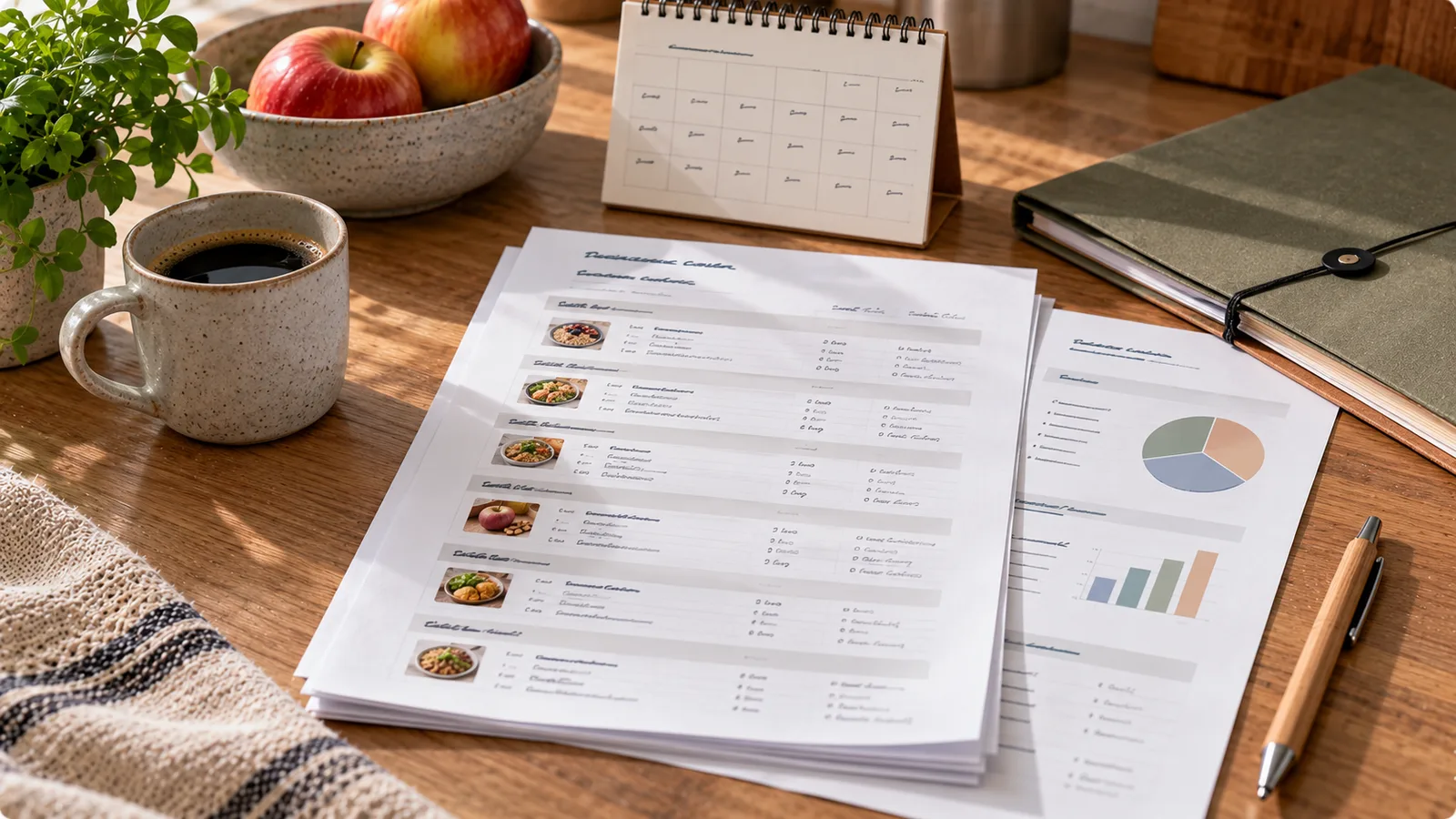
Example of a useful food diary export
A simple table might look like this:
| Date | Time | Meal | Food and quantity | Notes |
|---|---|---|---|---|
| Monday | 08:15 | Breakfast | 2 eggs, 80 g whole-grain bread, coffee with 100 ml milk | At home |
| Monday | 13:10 | Lunch | 400 g lentil soup, 1 apple | Homemade |
| Monday | 17:30 | Snack | 170 g plain yogurt, 20 g walnuts | — |
| Monday | 20:00 | Dinner | 150 g cooked salmon, 200 g potatoes, 150 g broccoli, 10 g olive oil | Baked |
| Tuesday | 08:30 | Breakfast | 200 g skyr, 60 g oats, 100 g berries | — |
This is an illustrative example, not a prescribed diet.
The same structure can be repeated for the selected recording period.
If the dietitian needs calorie and macronutrient estimates, add separate columns rather than replacing the food descriptions.
How to export from a nutrition app
App interfaces differ, so the exact button names may vary.
A typical workflow is:
- Open the food diary or history section.
- Select the requested date range.
- Look for Export, Share, Download or Report.
- Choose PDF, CSV or another available format.
- Review the generated file.
- Save it locally or share it through an agreed secure method.
Not every nutrition app supports exporting a food diary.
Some apps allow only screenshots or manual copying.
Do not assume that a particular export function exists unless you can see it in the app.
If no export option is available, you can create a simple spreadsheet using the food entries shown in your history.
How to check the exported file
Before sharing, open the file and verify that:
- All requested dates are present.
- Meals and snacks are included.
- Drinks are recorded.
- Portion units are clear.
- Recipes are not reduced to unexplained names.
- Notes appear in the correct rows.
- Daily totals, if present, match the intended dates.
- No unnecessary private information is included.
Check whether the file uses grams, ounces, milliliters or another unit system.
A portion listed simply as “100” is ambiguous without a unit.
Also check whether the export uses local dates and times correctly, especially if you traveled across time zones.
Should you include symptoms and health information?
Only when relevant to the consultation.
For example, a dietitian helping with digestive complaints may find it useful to know:
- When symptoms occurred.
- How long they lasted.
- Their approximate severity.
- Whether they happened before or after meals.
- Whether sleep, stress or medication changes may be relevant.
A food diary cannot establish that a particular food caused a symptom.
Temporal associations can have multiple explanations.
Avoid removing entire food groups based only on a few diary entries without appropriate professional advice, particularly when medically necessary restrictions are being considered.
If you are being assessed for a food allergy or celiac disease, follow the instructions of your healthcare professional rather than beginning an elimination diet independently.
How to share a food diary securely
A food diary can reveal sensitive personal information, including eating habits, health concerns and daily routines.
Before sharing:
- Confirm the recipient's correct email address or portal.
- Use a secure patient portal when available.
- Share only the information needed for the consultation.
- Avoid public links or broadly accessible cloud folders.
- Remove unrelated personal details.
- Check whether the recipient needs an editable file or a PDF.
- Ask how the file will be stored if you have concerns.
In the European Union, information concerning health may qualify as special-category personal data under the GDPR.
The European Commission's data protection guidance provides general information about the applicable framework.
Do not include passwords, account tokens or other credentials in an exported food diary.
What if your diary contains missing days?
Missing entries are common.
Do not invent meals or quantities to fill gaps.
Instead, mark the day or meal as:
- Not recorded.
- Approximate estimate.
- Restaurant meal with uncertain portion.
- Incomplete entry.
A transparent, imperfect record is more useful than a seemingly complete but inaccurate one.
If you remember the meal later, add it and indicate that the entry was reconstructed from memory.
What if the app's calorie estimates are inaccurate?
Food diary applications may estimate portions incorrectly, especially from photographs or restaurant meals.
When reviewing the export:
- Correct obvious portion errors.
- Check barcode entries against packaging.
- Distinguish cooked from raw weights.
- Record sauces and added fats.
- Preserve the original food description.
- Mark uncertain entries instead of inventing precision.
Your dietitian can use the record as a starting point and decide which calculations need refinement.
A food diary should support professional assessment, not replace it.
Preparing for the appointment
A concise note accompanying the diary can help.
For example:
> I have attached a five-day food diary including three weekdays and two weekend days. Most portions were weighed, but restaurant meals are estimates. I would like to discuss meal timing, protein intake and whether my current eating pattern is balanced.
You can adapt this to your actual situation.
Consider writing down two or three questions you want answered.
The dietitian may also need medical history, relevant laboratory results or other information, but those should be shared only through appropriate channels and when requested.
A final checklist
Before sending your diary, confirm:
- The recording period matches the request.
- Foods, drinks and portion sizes are included.
- Cooking methods and important ingredients are clear.
- Any missing entries are marked.
- Nutrient estimates are labeled as estimates.
- The export opens correctly.
- Unnecessary sensitive details are excluded.
- The file is shared securely.
The goal is not to produce a perfect nutrition score. It is to provide enough reliable context for a useful conversation.
Sources
- USDA FoodData Central — Food Composition Database
- National Institute of Diabetes and Digestive and Kidney Diseases — Food and Nutrition
- European Commission — Data Protection
- NHS — Food Allergy
Practical takeaway: record three to seven representative days unless your dietitian requests otherwise, keep the original food and portion details, export to a readable format, check the file and share it through an appropriate secure channel.