
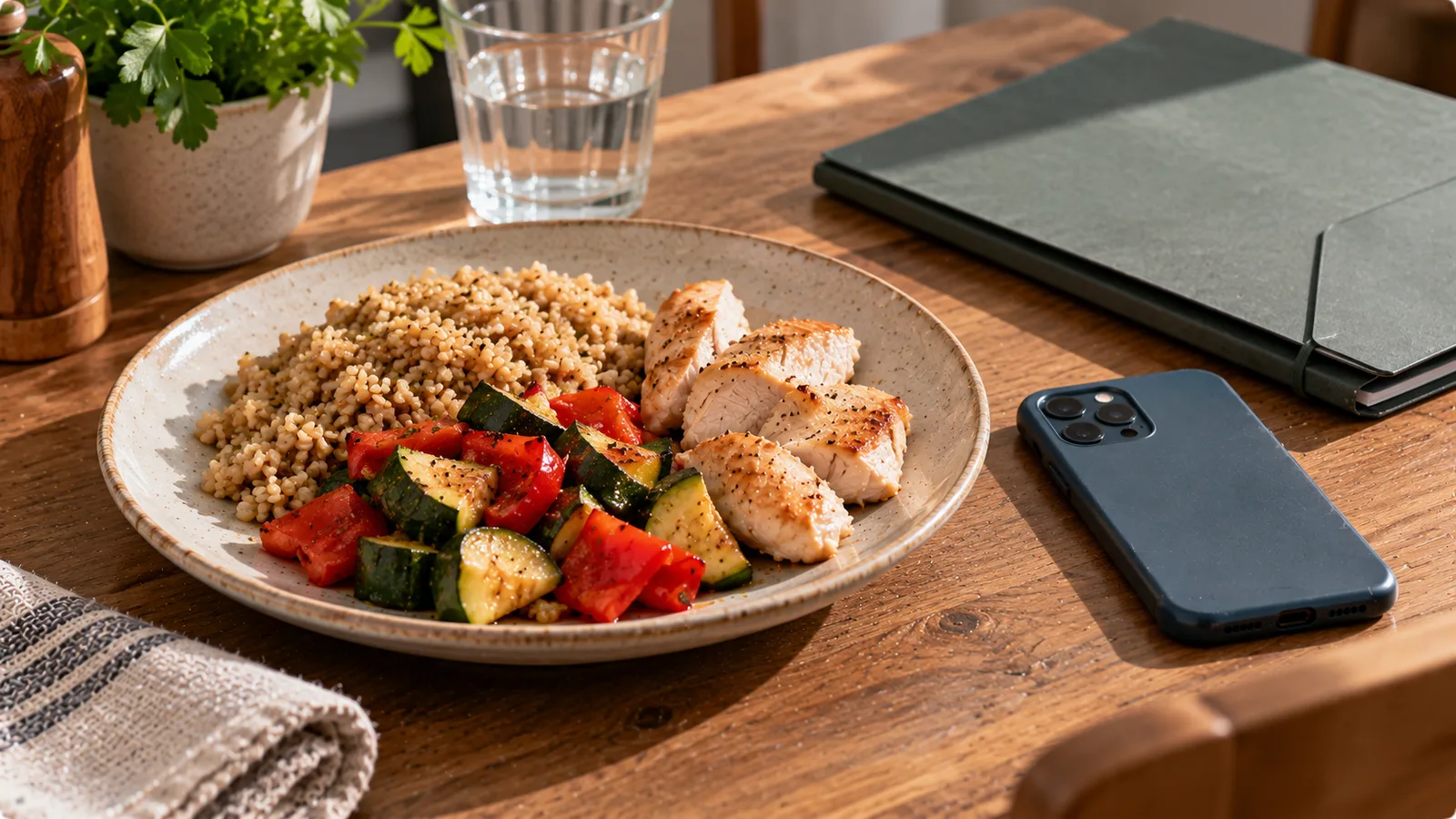
Taking a photograph of lunch may seem like a simple way to record what you eat. For many people, it is faster than searching a food database, estimating every ingredient or entering a recipe manually.
But a food photograph is still personal information in a broader sense. It may show your surroundings, reveal habits and become part of a record of your daily routine.
Some nutrition apps analyse photographs on the device. Others upload them to servers or send them to an external artificial intelligence provider. Some retain the original photograph; others may keep only the nutritional result.
These differences matter.
Before using a photo-based food tracker, it is worth understanding what information a photograph can contain, where it goes and how much control you have over it.
What can a food photograph reveal?
A photograph of a meal may contain more information than the food itself.
Depending on the image, it could reveal:
- What and when you eat.
- Your eating patterns over time.
- The approximate location or setting of a meal.
- Restaurant names, packaging or receipts.
- Other people in the background.
- Objects or documents visible on the table.
- Information about dietary restrictions or personal routines.
A single photograph may reveal very little.
A long history of photographs, timestamps and meal classifications can reveal considerably more.
This is why evaluating a food-tracking app requires looking beyond whether it stores a picture.
You also need to understand the surrounding data: timestamps, meal records, account identifiers, nutrition estimates and any information linked to them.
1. Check what photo access the app requests
On modern smartphones, an app may request different levels of access to your camera and photo library.
These permissions are not interchangeable.
| Permission | What it generally allows | What to consider |
|---|---|---|
| Camera access | Capture new photographs | Whether access is needed for the feature you use |
| Selected photo access | Access to photographs you choose | Whether you can avoid granting access to the entire library |
| Full photo-library access | Broader access to stored photographs | Whether this is necessary for the app's function |
| No photo access | Manual entry or other methods | Whether a photo is required at all |
Exact permission behaviour depends on the operating system version and the app's implementation.
Camera access is not the same as library access
An app that photographs meals through the camera may not need permission to browse your entire photo library.
Likewise, selecting an existing photograph through a system-provided photo picker may not require the same level of access as granting unrestricted library permission.
Check the permission request carefully instead of approving it automatically.
Review permissions later
On iPhone, review relevant permissions in Settings under Privacy & Security and the app's individual settings.
On Android, review permissions through Settings and the relevant app-permission controls.
Menu names may differ by device and operating system version.
You can often adjust access after installation.
Changing a permission generally controls future access; it does not necessarily delete photographs or other information that the app previously uploaded.
2. Understand photo metadata
A digital photograph can contain metadata in addition to its visible pixels.
Common examples include:
- Date and time of capture.
- Device or camera information.
- Image dimensions.
- Camera settings.
- GPS coordinates, if location tagging was enabled and retained.
Some of this information is stored in EXIF or related metadata fields.
Not every photograph contains every field.
A screenshot, edited image or image shared through a particular service may have different metadata from an original camera photograph.
Does a food photo automatically reveal your location?
No.
A photograph does not automatically contain GPS coordinates simply because it was taken on a smartphone.
Location metadata depends on the camera settings, operating system permissions and how the image is saved or processed.
An app may also infer a location from visible content, such as a restaurant sign, even when GPS metadata is absent.
These are two different privacy considerations.
What happens when a photo is uploaded?
An application may:
- Upload the original image with metadata intact.
- Remove metadata before uploading.
- Resize or recompress the image.
- Extract visual information locally and upload only the result.
- Send the image to a third-party processing service.
The behaviour cannot be determined reliably from the app's appearance.
Look for a clear explanation in the privacy policy or technical documentation.
If the policy does not explain what happens to the original image, that is a reasonable question to ask the provider.
3. Find out whether AI analysis happens on the device or in the cloud
Photo-based nutrition apps may use artificial intelligence to identify food, estimate portions or generate nutritional values.
The location of that processing affects which systems receive the photograph.
On-device processing
With on-device processing, analysis occurs on the smartphone.
Potential advantages include reduced need to transfer the image to an external server and the possibility of working without an internet connection.
However, on-device analysis does not guarantee that no information is uploaded.
An app could still synchronise meal records, send analytics events or back up data elsewhere.
Cloud processing
With cloud processing, the app sends an image or related data to a remote system.
That system may belong to the app developer or to an external service provider.
Cloud analysis can support complex models, but it creates additional questions:
- Which company receives the image?
- In which country is the data processed?
- Is the original image retained?
- Are meal descriptions or account identifiers sent with it?
- Is the data used to improve or train AI models?
- How long is it stored?
- Can the user request deletion?
The answers vary by provider and configuration.
A statement that an app uses AI does not answer these questions.
4. Check whether the photograph is stored after analysis
A food tracker may need an image briefly to analyse a meal, but it does not necessarily need to retain the original photograph indefinitely.
Different designs are possible.
| Storage approach | What may remain after analysis |
|---|---|
| Temporary image processing | Image removed after processing, subject to provider implementation |
| Photo history | Original or processed image stored with meal entries |
| Nutrition-only history | Food name, estimated portion and nutrition values retained |
| Cloud synchronisation | Images or records stored remotely for access across devices |
| Backup and recovery | Additional copies may exist for a defined period |
There is no universal answer.
A nutrition app may store photographs because users want a visual diary.
Another may discard images after extracting the meal information.
Neither approach should be assumed without checking.
A useful question
Ask: If I delete a meal photograph from my history, does the image also disappear from the server and any external processing system?
Deleting an image from the visible interface and deleting all associated stored copies are not necessarily the same operation.
5. Read the privacy policy for specific answers
A useful privacy policy should explain the processing of personal data in understandable terms.
For a photo-based food tracker, look for information about:
- Categories of data collected.
- Purposes of processing.
- Legal bases where GDPR applies.
- Recipients and service providers.
- International data transfers.
- Retention periods or criteria.
- Account and data deletion.
- User rights and contact details.
- Whether data is used for advertising or AI model improvement.
A generic statement such as "we take your privacy seriously" does not explain what happens to your photographs.
Look for concrete descriptions.
For example, a policy that says images are transmitted to a named processing provider for food recognition is more informative than one that simply mentions artificial intelligence.
The provider should also explain whether photographs are stored and how long relevant information is retained.
6. Consider GDPR and potentially sensitive information
For people in the European Union, the General Data Protection Regulation may apply to the processing of personal data by a nutrition app.
Food photographs and associated records can be personal data when they relate to an identifiable person.
Some food-tracking information may also reveal or allow inferences about health.
Under GDPR, data concerning health can qualify as a special category of personal data and is subject to additional protections.
However, not every photograph of food automatically becomes special-category health data.
The classification depends on the information, context and purpose of processing.
For example, an ordinary photograph of a sandwich is not necessarily equivalent to a medical record.
A detailed dietary history connected to a health condition may raise different considerations.
Apps should not treat all nutritional information as legally identical without examining the context.
Rights worth understanding
Depending on the circumstances, GDPR may provide rights relating to:
- Access to personal data.
- Rectification of inaccurate information.
- Erasure of personal data.
- Restriction of processing.
- Data portability.
- Objection to certain processing.
- Withdrawal of consent where consent is the legal basis.
These rights are subject to conditions and exceptions.
Withdrawal of consent does not necessarily make all earlier processing unlawful, and deletion rights are not absolute in every situation.
The official text is available in Regulation (EU) 2016/679.
7. Understand the difference between deleting a meal and deleting an account
A food-tracking app may offer several distinct actions.
Deleting a meal entry
This may remove a photograph, food description and nutritional record from your diary.
Check whether associated server-side data is also removed.
Deleting a photograph
Some apps may allow the image to be removed while retaining the nutritional entry.
Others treat the image and entry as one record.
Deleting an account
Account deletion is broader.
It may involve removing profile information, meal history, stored photographs and associated personal data, subject to applicable legal retention requirements and technical processes.
Uninstalling the app
Uninstalling usually removes the app from your device.
It does not automatically guarantee that your cloud account or remotely stored data has been deleted.
If you want remote data erased, use the provider's account-deletion process or contact the provider through the appropriate privacy channel.
8. Check whether photographs are used to train AI models
AI-powered food recognition does not automatically mean your personal photographs are used to train future models.
Inference and training are different activities.
Inference means a model processes a photograph to produce a result, such as identifying a meal.
Training means information is used to develop or improve a model.
An app may use an external AI service solely for inference.
Another may retain selected information for quality improvement or model development.
The relevant questions are:
- Is training or model improvement described in the privacy policy?
- Which information may be used?
- Is participation optional?
- Can users withdraw consent where applicable?
- Does the processing provider have separate data-use terms?
Do not assume that an AI provider's general consumer-product settings automatically apply to its business API services.
The relevant contract, API configuration and privacy documentation matter.
9. Consider what appears in the photograph
Even if an app has reasonable privacy controls, the content of the image matters.
Before photographing a meal, check whether the frame includes:
- Personal letters or bills.
- Work documents.
- Screens displaying private messages.
- Other people's faces.
- Address labels.
- Payment cards.
- Children's identifying information.
- Medical documents.
Cropping the photograph before uploading may reduce unnecessary exposure.
Be aware that some image-editing methods preserve original files or metadata, so cropping alone is not a guarantee that every trace of the original image has been removed.
A simple photograph focused on the meal is often sufficient for food recognition.
There is usually no nutritional benefit to including an entire room in the image.
10. Check security features without assuming perfect protection
Security and privacy are related but different.
Privacy concerns how information is collected, used and shared.
Security concerns protecting information against unauthorised access or alteration.
Useful questions include:
- Is data transmitted using encrypted connections?
- Is account access protected by appropriate authentication?
- Can you review and manage connected devices or sessions?
- Does the app explain how users can report security problems?
- Are data-access permissions limited appropriately?
- Does the provider describe relevant security practices?
No app can guarantee absolute security.
A privacy policy alone also cannot prove that the technical implementation is secure.
Still, clear documentation and sensible controls are positive indicators.
A practical privacy checklist before installing
Use this checklist when comparing photo-based nutrition apps.
| Question | What a useful answer looks like |
|---|---|
| Does the app need full photo-library access? | Only necessary permissions are requested |
| Are photos uploaded? | The app explains when and why |
| Is location metadata retained? | Metadata handling is described |
| Who analyses the images? | Relevant processors are identified |
| Are photos stored? | Retention and deletion are explained |
| Is data used for AI training? | The purpose and choices are clear |
| Can meal records be deleted? | A clear deletion process exists |
| Can the account be deleted? | Accessible instructions are provided |
| Is there an export option? | Available formats and limitations are explained |
| Is there a privacy contact? | Users can reach the responsible organisation |
You do not need every app to implement the same technical architecture.
You do need enough information to make an informed choice.
Example: comparing two hypothetical food trackers
Imagine two fictional apps.
App A asks for full photo-library access, uploads images for recognition and states that photographs may be retained, but gives no clear retention period.
App B allows you to take a new photograph or select one image, explains that images are uploaded for recognition, identifies the processing provider and describes when stored images are deleted.
App B provides more transparent information for evaluating privacy.
That does not automatically prove that App B is technically more secure.
It means the user has more specific information about its data handling.
The strongest evaluation combines documentation, permissions, available controls and the provider's actual practices.
What if you already uploaded food photographs?
You can still review your choices.
Start by:
- Checking the app's current privacy policy.
- Reviewing camera and photo-library permissions.
- Looking for image and meal deletion controls.
- Checking account export or deletion options.
- Contacting the provider if retention or third-party processing is unclear.
If you believe personal data is being handled improperly, EU data-protection authorities provide information about complaints and individual rights.
The relevant authority depends on your circumstances.
A useful privacy-first routine
You can reduce unnecessary data exposure without abandoning photo-based food tracking.
Take photographs that show only the meal.
Avoid including documents, faces and other identifying details.
Use limited photo permissions where practical.
Review whether cloud synchronisation is necessary for your routine.
Periodically remove records you no longer need, where the app supports that function.
And before trusting a privacy claim, check what the provider actually says about image uploads, storage, third parties and deletion.
The goal is not to avoid every digital tool. It is to understand the trade-offs and choose a level of data sharing that matches your needs.