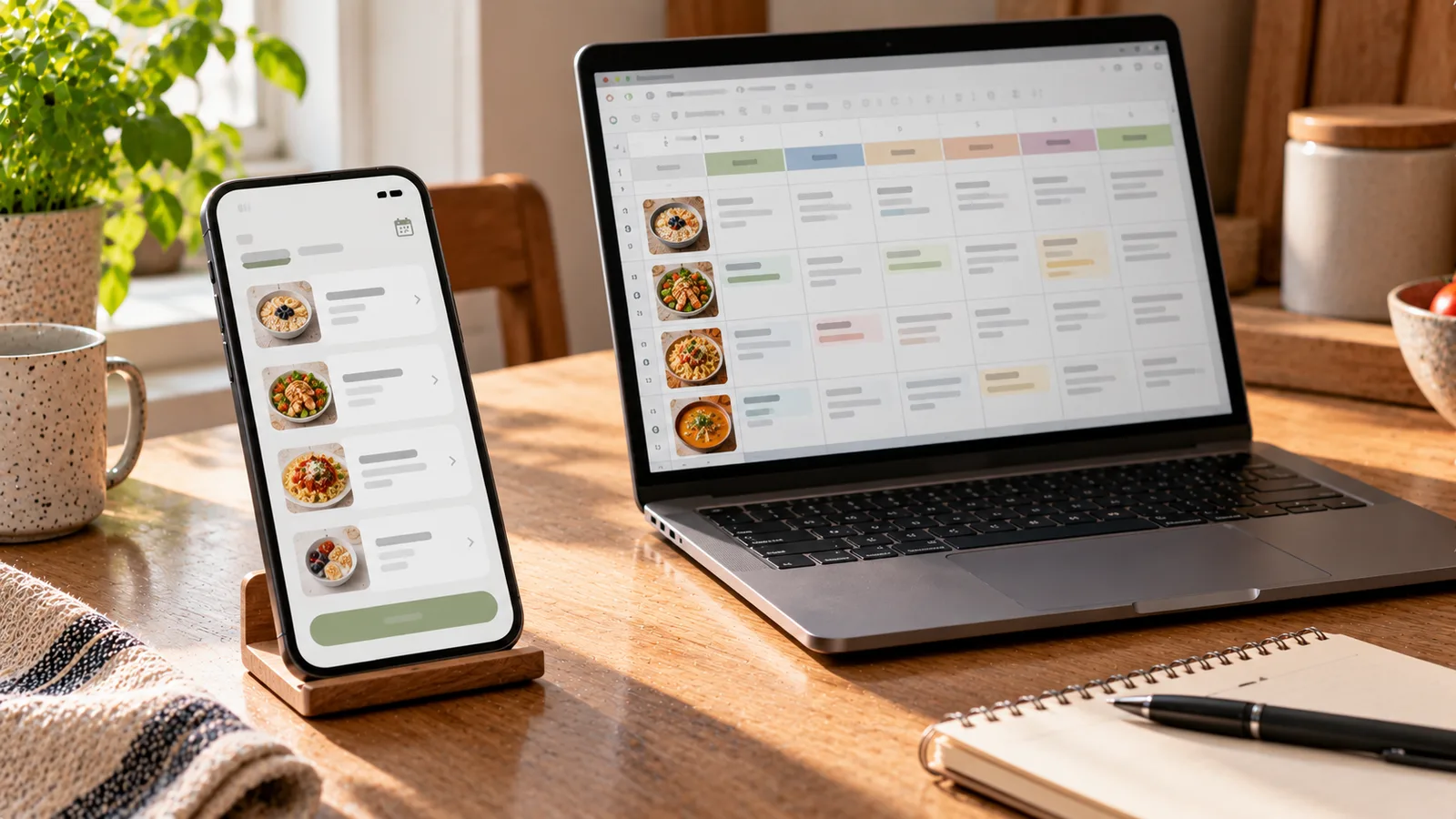
A meal planning app and a spreadsheet can both answer the same basic question:
What am I going to eat this week?
But the workflow behind that answer can be very different.
A spreadsheet gives you a flexible blank structure that you design yourself. A meal planning app gives you a purpose-built system where much of the structure, and sometimes part of the planning work, already exists.
Neither approach is automatically better.
The useful question is which one creates less friction for the way you actually plan, shop and change meals during the week.
Meal planning app vs spreadsheet at a glance
| Area | Meal planning app | Spreadsheet |
|---|---|---|
| Initial setup | Usually low | Can be low or substantial |
| Custom structure | Limited to app features | Extremely flexible |
| Automatic meal suggestions | Often available | Usually manual |
| Grocery-list generation | Often automated | Usually requires formulas or manual work |
| Nutrition calculations | May be built in | Must be created or imported |
| Recipe integration | Often built in | Usually links or manual data |
| Changing the plan | Usually quick | Easy if sheet is well designed |
| Collaboration | Depends on app | Often easy with cloud spreadsheets |
| Maintenance | Mostly handled by provider | User maintains structure and formulas |
| Offline control | Depends on app | Depends on spreadsheet software |
| Data portability | Varies | Usually straightforward |
| Learning curve | Usually lower initially | Depends heavily on complexity |
The important differences become clearer when you look at the complete weekly workflow.
What a spreadsheet meal-planning workflow looks like
A basic spreadsheet might contain columns for:
- date;
- breakfast;
- lunch;
- dinner;
- snacks;
- ingredients;
- grocery status;
- estimated cost;
- calories;
- protein, carbohydrates and fat.
A simple weekly table might look like this:
| Day | Breakfast | Lunch | Dinner |
|---|---|---|---|
| Monday | Oatmeal | Lentil soup | Chicken and rice |
| Tuesday | Eggs and toast | Leftover soup | Pasta |
| Wednesday | Yogurt and fruit | Sandwich | Fish and potatoes |
For many people, that is enough.
The advantage is that you decide exactly what the sheet contains.
If you do not care about calories, remove that column.
If budget matters, add price columns.
If you cook for several people, add portions.
If you want a freezer inventory, create another tab.
The spreadsheet adapts to your system because you build the system yourself.
What a meal planning app workflow looks like
A dedicated app normally starts with predefined meal-planning functions.
Depending on the app, these may include:
- a weekly calendar;
- recipe storage;
- automatic meal suggestions;
- grocery-list creation;
- nutrition information;
- portion adjustment;
- dietary preferences;
- ingredient inventories;
- reminders;
- previous meal history.
Instead of building the planning infrastructure, you use the infrastructure supplied by the app.
That can reduce setup time considerably.
The tradeoff is that you work within the capabilities and assumptions of that particular app.
Setup time: app usually wins
If you want to start planning immediately, an app generally requires less preparation.
You might choose preferences, set a target or select meals and begin.
A spreadsheet can also be simple, but sophisticated spreadsheet systems require more work.
For example, if you want your spreadsheet to automatically:
- calculate recipe nutrition;
- total grocery quantities;
- separate ingredients by category;
- track prices;
- scale servings;
- flag duplicate ingredients;
you need to build or obtain a template that does those things.
This can be worthwhile for someone who enjoys designing systems.
For someone who simply wants next week's meals planned, it may become unnecessary overhead.
Flexibility: spreadsheet usually wins
Spreadsheets are difficult to beat for structural flexibility.
You can create almost any workflow you want.
For example, your columns could be:
Day → Meal → Recipe → Portions → Leftovers → Cost → Protein → Freezer portions
Or you could ignore individual meals entirely and plan only five dinners.
You can also add:
- custom formulas;
- notes;
- color coding;
- filters;
- additional sheets;
- your own categories.
An app can offer many settings, but it still has boundaries defined by its design.
If your meal-planning method is highly specific or unusual, a spreadsheet may fit it better.
Automation: app usually wins
The biggest difference is often not where meals are displayed but how much work happens automatically.
Suppose you add this dinner:
Chicken rice bowl for four people.
A capable meal-planning app may already know the recipe ingredients and can potentially use them for a grocery list or nutrition totals.
In a spreadsheet, the words "chicken rice bowl" are just text unless you have built a system connecting that cell to recipe and ingredient data.
That distinction becomes important as the plan grows.
Manual planning is manageable when you only want a list of seven dinners.
It becomes more demanding when you also want:
- ingredient quantities;
- nutrition totals;
- prices;
- serving adjustments;
- inventory checks.
Grocery lists
Meal planning and grocery planning are closely connected.
A spreadsheet can handle grocery lists very well, but the workflow is often manual.
You may need to:
- choose the meals;
- open each recipe;
- identify required ingredients;
- combine duplicate ingredients;
- subtract food already at home;
- create the final list.
A dedicated app may automate several of these steps.
That matters if grocery-list creation is the part of meal planning you dislike most.
However, automatic grocery lists still need checking.
You may already have salt, oil, spices or half a package of an ingredient at home.
No planning tool should replace a quick inventory check.
Nutrition tracking
A spreadsheet can calculate calories and macronutrients, but only if you provide reliable data and formulas.
You might create columns for:
- calories;
- protein;
- carbohydrates;
- fat;
- fiber.
Then you can total each day or week.
The difficulty is maintaining the underlying food data.
If a recipe changes, its calculated nutrition may also need updating.
Nutrition-focused apps can reduce this work by connecting meals to food or recipe databases.
But automated values are not automatically perfect.
Nutrition estimates can vary because of:
- different products;
- serving sizes;
- raw versus cooked weights;
- recipe substitutions;
- database entries;
- restaurant estimates.
Whichever tool you use, treat nutrition data according to its level of precision.
Recipe management
A spreadsheet works well as a recipe index.
For example:
| Recipe | Link | Main protein | Time | Servings |
|---|---|---|---|---|
| Lentil soup | Recipe link | Lentils | 35 min | 4 |
| Chicken pasta | Recipe link | Chicken | 30 min | 4 |
| Bean chili | Recipe link | Beans | 40 min | 6 |
This is simple and highly searchable.
But the spreadsheet normally does not understand the recipe itself unless you enter its ingredients and other data.
A meal planning app may store the recipe as structured information.
That can make it easier to connect the recipe to:
- grocery lists;
- serving sizes;
- nutrition;
- meal history;
- ingredient searches.
If you maintain dozens or hundreds of recipes, that difference can become significant.
Planning leftovers
Both approaches can handle leftovers effectively.
In a spreadsheet, you can simply write:
Tuesday lunch: leftover Monday dinner
That may be all you need.
An app can make this process more structured if it tracks portions or allows meals to be reused.
But more automation is not always necessary.
For a household with a predictable weekly routine, a simple spreadsheet may be faster than a feature-heavy app.
Budget planning
Spreadsheets are particularly strong when you want complete control over cost calculations.
You can track:
- package price;
- unit price;
- quantity used;
- estimated recipe cost;
- cost per serving;
- weekly grocery budget;
- actual spending.
For example:
| Ingredient | Package price | Amount used | Estimated recipe cost |
|---|---|---|---|
| Rice | €2.20 | 300 g | €0.66 |
| Chicken | €8.00 | 500 g | €4.00 |
| Vegetables | €3.50 | 1 pack | €3.50 |
A specialized app can make this easier if it supports prices and budgets.
But if cost analysis is highly customized, a spreadsheet remains extremely powerful.
What happens when the plan changes?
A realistic meal plan changes.
You may:
- eat out unexpectedly;
- have leftovers;
- work late;
- skip a planned recipe;
- discover an ingredient needs to be used immediately.
A good system should make changes inexpensive.
In a spreadsheet, you can move cells, replace text or adjust rows.
In an app, you may be able to replace or regenerate a meal.
The better option depends less on the technology and more on how many connected elements need updating.
If changing one dinner also needs to update groceries, calories and ingredient quantities, automation becomes more valuable.
If your plan is simply a list of meal names, editing a spreadsheet takes seconds.
Planning for one person
For one person, simplicity often matters more than advanced automation.
A spreadsheet can work especially well if you:
- repeat breakfasts;
- cook several portions at once;
- reuse leftovers;
- plan only dinners.
A small table may be all that is necessary.
An app becomes more useful when you want additional assistance such as:
- recipe discovery;
- nutrition tracking;
- automatic grocery planning;
- adapting portions;
- remembering previous meals.
Planning for a household
Household planning adds more variables:
- different portion sizes;
- preferences;
- allergies or exclusions;
- shared meals;
- separate meals;
- leftovers;
- changing schedules.
A spreadsheet can represent all of this because you can add as many columns and rules as needed.
But complexity creates maintenance.
An app can reduce repetitive work if it supports the household structure you need.
If it does not, the spreadsheet may still be more flexible.
Collaboration
Cloud spreadsheets make collaboration straightforward.
Multiple people can often:
- view the plan;
- edit meals;
- add grocery items;
- leave notes.
This is useful for couples, families or roommates.
Apps vary substantially in collaboration features.
Before choosing an app for household planning, check whether shared plans, lists or profiles work the way your household needs.
Reusing previous weeks
Meal planning becomes faster when you stop starting from zero.
With a spreadsheet, you can duplicate a previous week and change only some meals.
For example:
Week 1
- chicken curry;
- lentil soup;
- pasta;
- fish and potatoes;
- bean chili.
For Week 2, you might keep two of those meals and replace three.
Apps may offer history, favorites or automatic reuse.
Both methods can work well.
The important habit is maintaining a pool of meals you already know rather than treating every week as a new recipe search.
Spreadsheet maintenance is easy to underestimate
A custom spreadsheet may begin simply and gradually become a small software project.
You add:
- formulas;
- dropdown lists;
- conditional formatting;
- linked tabs;
- recipe databases;
- price tables;
- scripts.
Eventually the system can be extremely capable.
But someone has to maintain it.
If a formula breaks, you fix it.
If the structure no longer matches your workflow, you redesign it.
If food prices change, you update them.
That control is one of the spreadsheet's strengths, but it is also part of its cost.
App limitations are easy to underestimate too
An app saves setup work because someone else has designed the system.
That also means someone else decides:
- which features exist;
- how meals are organized;
- which data can be entered;
- which integrations are supported;
- how exports work;
- whether a feature changes later.
Before committing to an app, consider whether you can access or export information that matters to you.
This is particularly relevant if you intend to build a long-term recipe collection or food history.
Privacy and data
The comparison is not simply "spreadsheet private, app not private."
Cloud spreadsheets can also store information on external servers.
Apps may store information locally, in the cloud or both.
If privacy matters, check the specific service's:
- privacy policy;
- account requirements;
- data storage practices;
- permissions;
- export options;
- deletion options.
The correct comparison depends on the actual products you are considering.
When a spreadsheet is probably the better fit
A spreadsheet may suit you if:
- you enjoy designing your own workflow;
- you want maximum structural flexibility;
- you only need a simple weekly table;
- you use a small, stable recipe collection;
- you want custom budget calculations;
- you are comfortable maintaining formulas;
- you want direct control over the data structure.
You do not need a specialized app just because meal-planning apps exist.
A well-designed spreadsheet can be an excellent planning system.
When a meal planning app is probably the better fit
An app may suit you if:
- you want to start with minimal setup;
- planning meals manually feels repetitive;
- you want meal suggestions;
- you want recipes connected to the plan;
- you want grocery lists generated from meals;
- nutrition tracking is important;
- you frequently change portions or meals;
- you want several planning tasks connected automatically.
The value of an app usually comes from reducing repeated work rather than simply displaying a calendar.
A hybrid workflow can work too
You do not necessarily have to choose one system exclusively.
For example, you could use:
- an app for meal generation and nutrition;
- a spreadsheet for household budgeting.
Or:
- a spreadsheet for a long-term recipe library;
- an app for the current week's meals and grocery list.
The hybrid approach makes sense when each tool has a clearly different job.
It becomes inefficient when the same information has to be manually maintained in both places.
Compare the number of manual steps
A useful way to choose is to take one real week and count the steps.
Imagine your weekly process is:
- decide on five dinners;
- check what is already at home;
- calculate portions;
- create a grocery list;
- estimate the week's cost;
- track nutrition;
- replace meals when plans change.
Now ask which steps your current spreadsheet handles automatically and which steps an app would handle automatically.
If the spreadsheet already does almost everything you need, switching may offer little benefit.
If you repeatedly copy ingredients, calculate totals and rebuild lists manually, automation may save meaningful time.
Do not choose based on the longest feature list
More features do not necessarily create a better workflow.
If you only need:
- five dinners;
- a grocery list;
- a place to save favorite meals;
then dozens of advanced functions may add complexity rather than value.
Likewise, a sophisticated spreadsheet is unnecessary if a four-column table already solves your problem.
The best system is usually the one you can keep using without turning meal planning into another administrative task.
A practical decision table
| If this matters most to you | Better starting point |
|---|---|
| Minimal initial setup | Meal planning app |
| Complete customization | Spreadsheet |
| Automatic meal suggestions | Meal planning app |
| Custom formulas and analysis | Spreadsheet |
| Automatic grocery-list generation | Meal planning app |
| Simple list of weekly meals | Spreadsheet |
| Integrated nutrition tracking | Meal planning app |
| Custom household workflow | Spreadsheet |
| Recipe-to-shopping automation | Meal planning app |
| Full control over table structure | Spreadsheet |
These are starting points rather than absolute rules. Individual apps and spreadsheet systems vary considerably.
Try the simplest version before building more
If you are unsure which approach you need, start with the minimum workflow.
For a spreadsheet:
- create seven rows for the week;
- add the meals you actually plan;
- add one grocery-list section;
- use it for two weeks.
For an app:
- enter only the preferences you actually need;
- create one week;
- generate or build the grocery list;
- change several meals;
- see whether the app reduces work.
After two real planning cycles, you will know much more than you would from comparing feature lists.
The real difference
A spreadsheet gives you a toolkit.
A meal planning app gives you a workflow.
Choose the spreadsheet when you want to design and control the system yourself.
Choose an app when you want the system to handle more of the repetitive planning work for you.
And if a simple list already keeps your meals organized, you may not need either one to become more complicated.
The best meal-planning workflow is not the one with the most automation or the most customization.
It is the one that reliably helps you decide what to eat, buy what you need and adapt when the week changes.